
The job is cleared before the machine is.
The STE Site Foreman is the job-preparation software every Steady Eddie job runs through. One job, one site, up to twelve Eddie units, each on its own machine. A supervisor defines the work, states the ground, clears the job, proves the plan and keeps the record, through six gates. Until every gate is closed, nobody can ask for Eddie.
Before Eddie, not beside it.
The Foreman is the console a supervisor works through in the hour before a machine is armed, and the one that same supervisor closes out at the end of the shift. It runs in a browser on an ordinary computer, built as one self-contained file for a laptop in a pickup.
It never touches the machine, it holds no session with Eddie, and it cannot start anything. The furthest it can take a job is ready to ask for. From there a named person asks another person for the machine, and that request happens between people. Prepared, installed and authorized are three states, and the Foreman keeps them apart.
Three things happen before a machine moves, and they are kept in three separate places. Preparation is this application, and it ends at ready to ask. Authority is a second one, held by a person for one machine and one piece of work, for a stated time. Control is the machine itself.
Twelve units
On one job, one site, each Eddie on its own machine with its own skill set and its own pre-start.
Five steps
Define, ground, clearance, prove, record. In that order, every job.
Six gates
Each one closes on something a named person wrote down today.
One record
Every act, in order, chained to the one before it. Nothing is deleted.
Define. Ground. Clearance. Prove. Record.
The Foreman walks a job in the order a good supervisor already does, and it will not let a step be skipped.
Define
The scope of work, the units on the job, and the skill set each is being hired for, including when to stop and call a person.
Ground
The site and its data, the map, the layout the sector calls for, and the haul route. The ground can only take permission away.
Clearance
The locate ticket before the ground is broken, and the pre-start on every machine and on the job, answered on the day.
Prove
The plan drawn so a person can approve it, and the gates that say where the job stands and why.
Record
The daily report and the records keeper. The account of the shift, and a record that cannot be quietly changed.
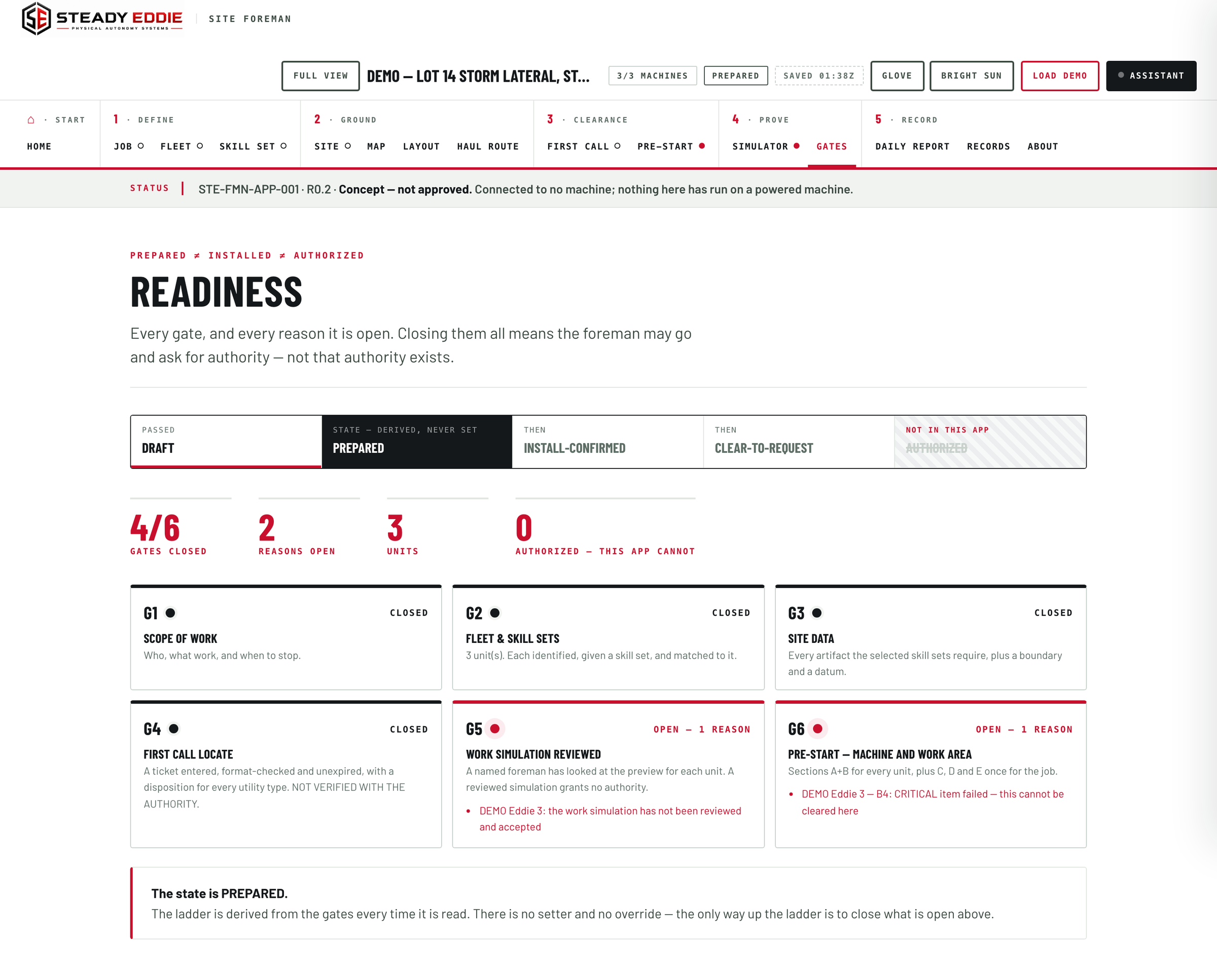
Six gates, in order.
A job moves forward only when the gate in front of it closes, and each closes on something a named person wrote down today. A state here is earned, never asserted.
- Scope of work.
The job, the foreman, the machine, the mode of work, the boundary of the task, what the machine may not do, what the finished work looks like, and the stop-and-call-if conditions. The last is the one the gate will not release: a job with no stated reason to stop has not been thought through.
- The units on the job.
Every unit identified, given a skill set, and matched to the machine classes that skill set is written for. Pick one written for a machine this is not, and the application declines it and names the machine class.
- Site data.
A named site, a boundary and a stated datum, with the site data the chosen skill sets call for. It can only take permission away. It never grants any.
- First call.
The locate ticket entered, its format checked, its dates in order, a named person attesting that it covers this dig site, and a clear answer for every utility type. The Foreman checks the ticket. The clearance stays yours to hold.
- Work review.
A named reviewer accepts the work preview for each unit. It records who looked at the plan, and grants nothing.
- Pre-start.
The walk-around and the checks on the machine and on the job, answered by a named person, on the day. Preparing a job is not the same as fitting a machine, so the fit is confirmed here.
The gates stack. The first four make a job prepared. Install confirmed adds every unit's install and host-machine checks. Ready to ask needs all six, and it is this application's last state.
What the work is, and who is doing it.
Twelve screens, one job. Each has one job of its own and says, in its own words, what it can and cannot do. Every one of them is in the demo.
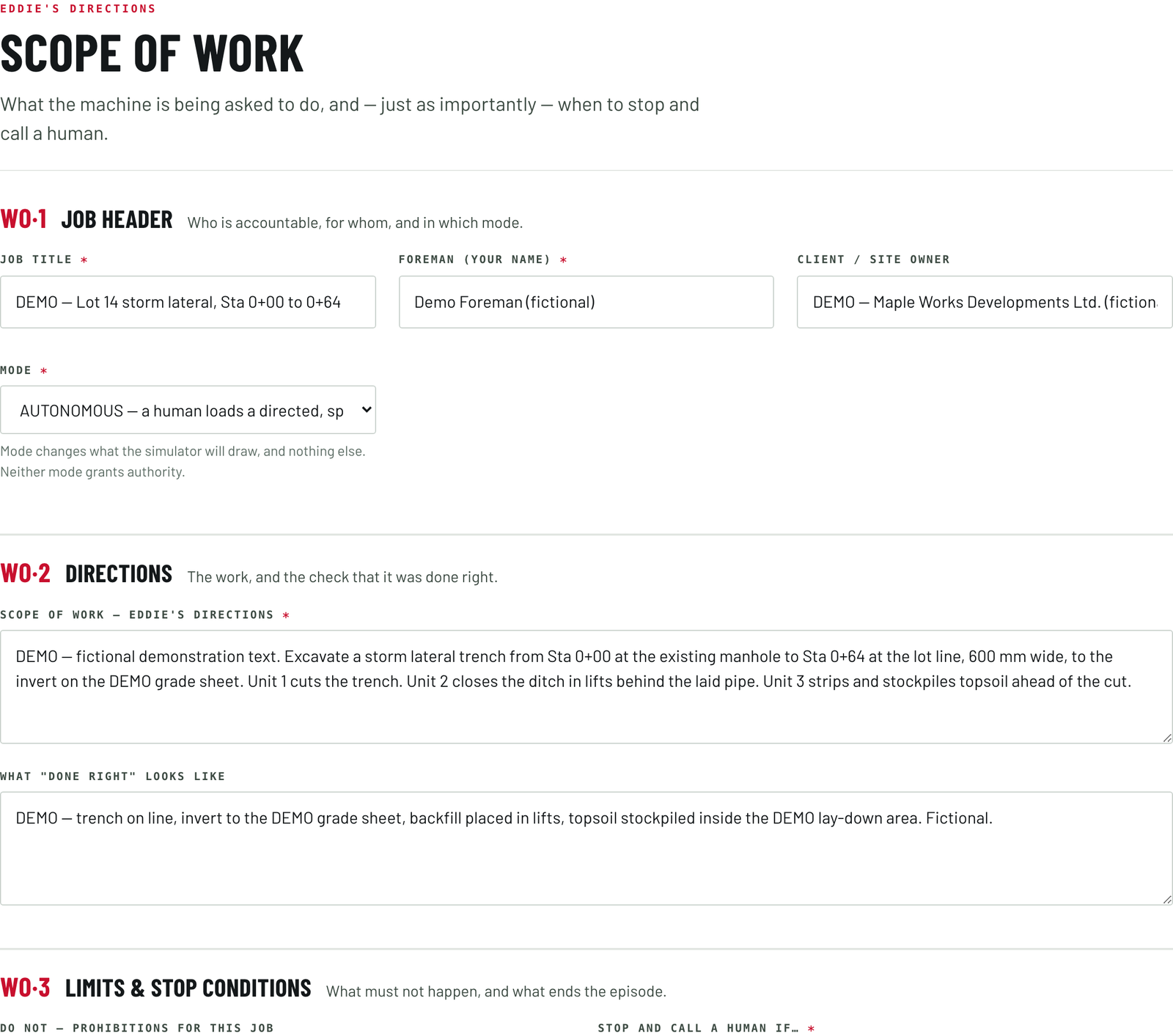
What the machine is asked to do, and when it stops.
The scope of work, in four blocks of plain writing a foreman types. What the machine is being asked to do. What it may not do. What the work looks like when it has been done right. And the conditions under which it stops and calls a person.
Until the scope and the stop-and-call conditions are written the first gate stays open, and the job does not move.
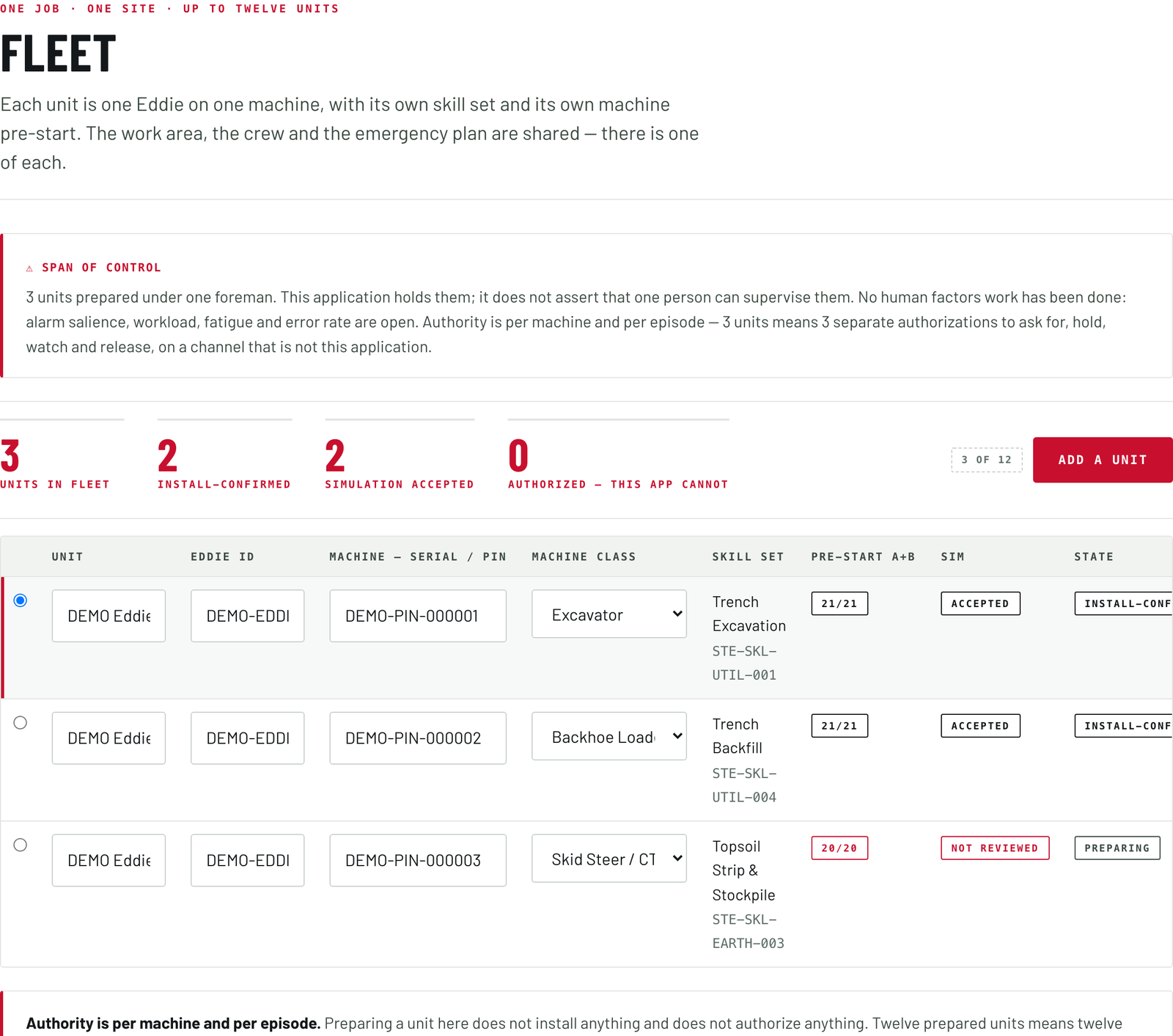
Twelve units is twelve authorizations.
One job, one site, up to twelve units. Each unit is one Eddie on one machine, with its own identity, class, skill set, install and host-machine checks, and its own work preview. The work area, the people and the stop plan are answered once for the whole job, because answering them twelve times would be a performance rather than a check.
Above the second unit a standing note appears that the screen will not let you dismiss: twelve prepared units is twelve separate authorizations to ask for, hold, watch and release, on a channel that is not this application. How many one person can supervise is a question the screen keeps on the page.
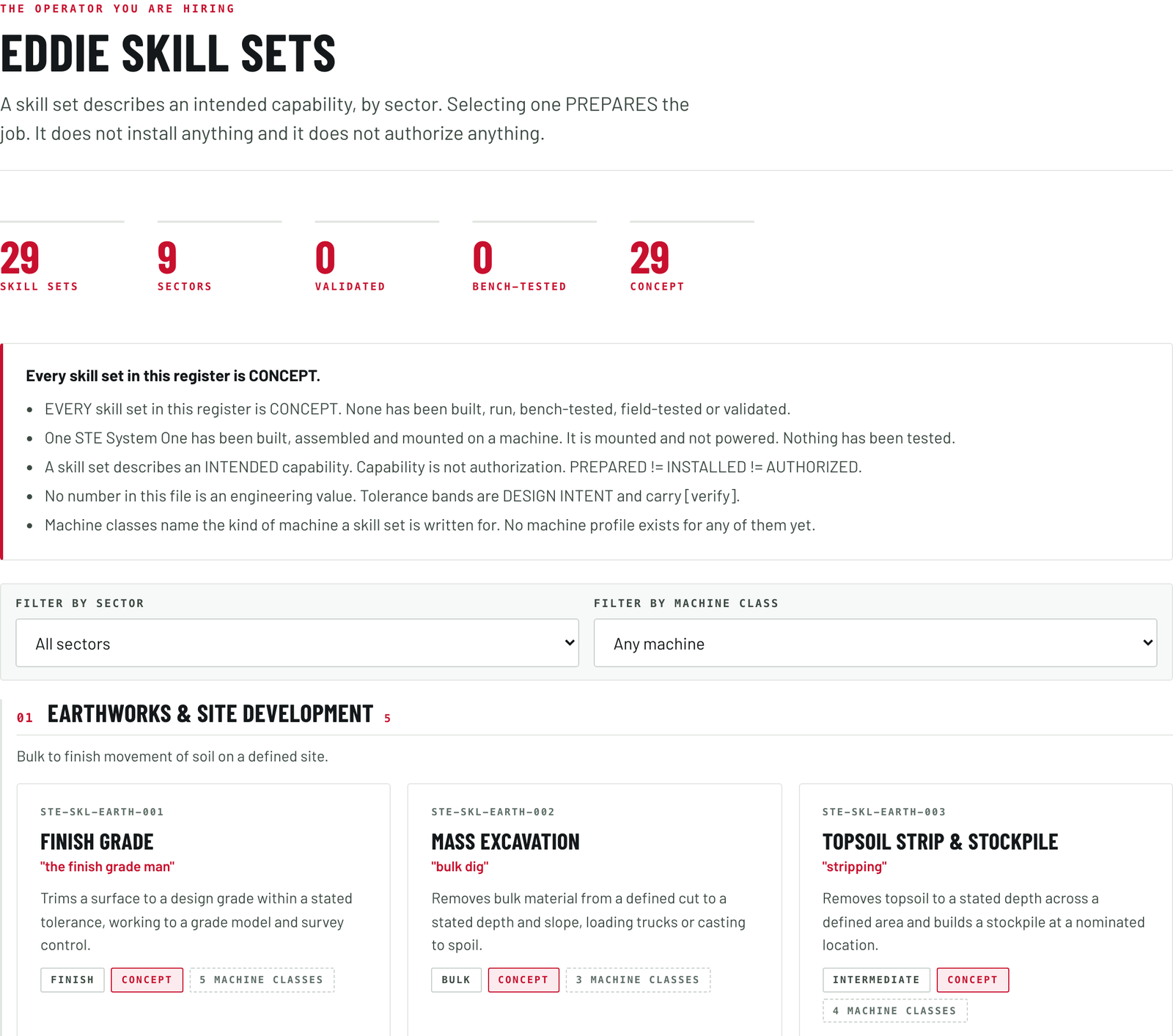
What each unit is being hired to do.
The operator you are hiring, by sector: earthworks; trenching and utilities; roads and municipal works; aggregate and quarry; agriculture; forestry and land clearing; snow and grounds; waste and recycling; and yard and material handling. Selecting one prepares the job. It installs nothing and authorizes nothing.
Each skill set carries the machine classes it is written for, the controls it needs, the site data it requires, the competencies the supervising person should have, and a plain sentence on why the work is hard. Trench excavation says locate marks are an assumption about position, never a measurement of it. Snow pushing says the surface under the snow is an assumption rather than an observation. Truck loading says a truck is a moving object with a person in it, put there by somebody Eddie does not control.
Each skill set is written to carry a number that stays with it, an edition, and a seal anybody can check, issued through Tacit Tessera. A number sits beside a name and never in its place.
The packages Steady Eddie writes sit in the register's public index as Machine-track entries: the Book on Tacit Tessera.
A machine is to be put through a set of scenarios before it is trusted with them: the machine is tested, never the person, and what the set tests is written on its face.
Behind them sits the list of work Eddie may prepare at all, and it reads short. Three kinds are in: trenching to a fixed grade, bulk excavation to a stockpile, backfilling and levelling. Nine are conditional, each on a stated condition, from loading trucks and travelling between work areas to trenching along a located service, stopping at every hand-expose zone, and daily cover on a closed face. The rest are out, each with its reason. A person in the trench, because no combination of sensing and authority in this product makes it acceptable. A suspended load, because an instant stop turns momentum into a swing. Work beside live services, because a buried service is invisible to every sensor on the machine. A skill set outside that list is offered as a refusal with the reason printed.
State the ground, and it can only narrow the job.
Everything entered on these screens takes permission away. Nothing entered on them creates any.
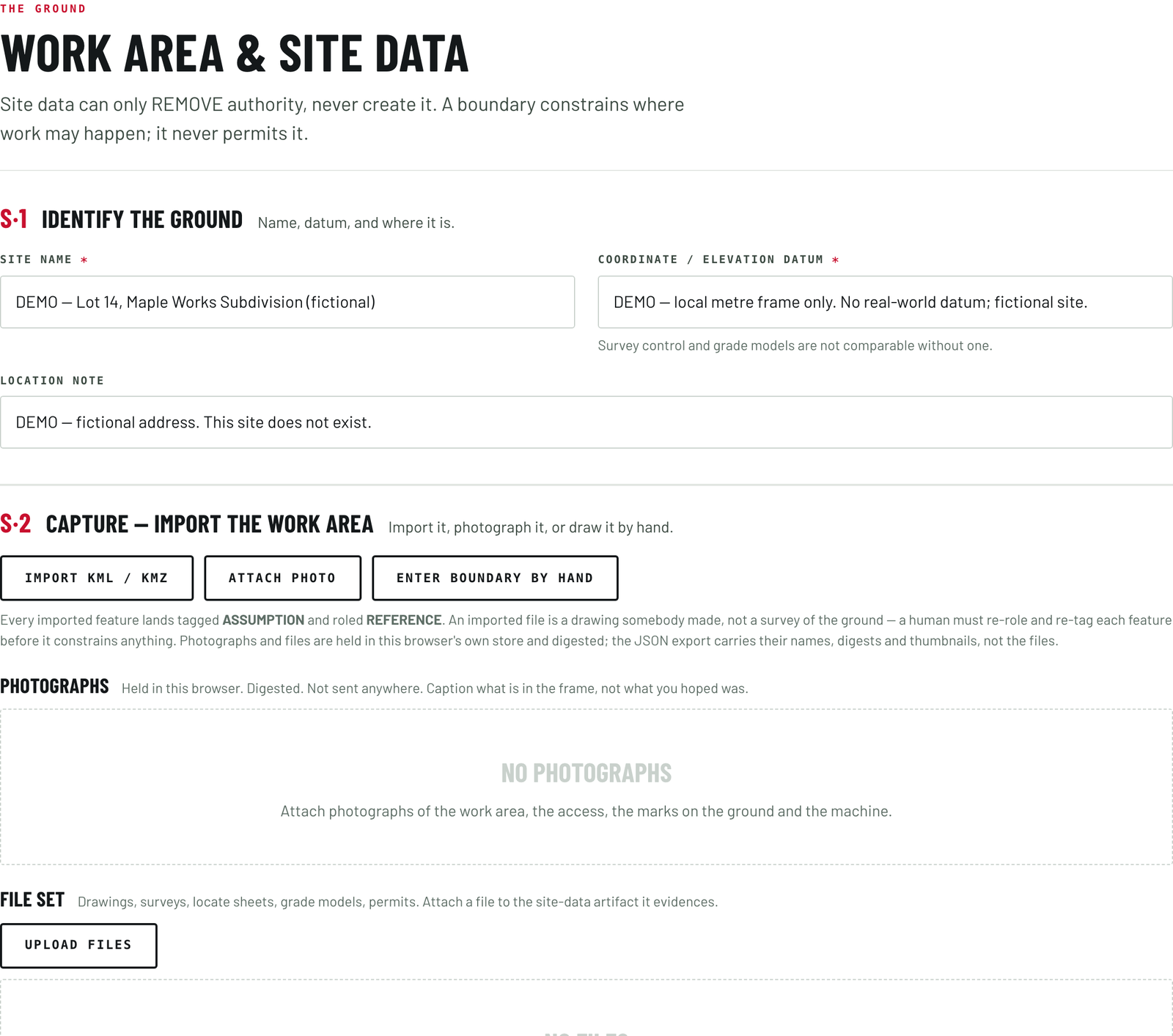
The work area, and what you know about it.
A feature placed on a site takes one of six roles, five of which remove authority and one of which states that it has no effect at all.
Every piece of site data carries a certainty mark a person sets, with no default. A boundary imported from a mapping file lands marked as an assumption and as reference only, and a person re-marks it by hand before it constrains anything. Each carries a maximum age too, so a stale declaration counts as a missing one.
What the screen asks for is named in plain words: a closed boundary; named no-go areas; a locate ticket with an answer per utility; a survey control point with its datum; a design surface with its source; a scan with its capture date; an overhead obstruction record; a ground-bearing statement; dated photographs; where the material goes; the pedestrian and vehicle plan; and what material is handled. A mapping file drawn elsewhere can be brought in, and photographs and file sets stay on the computer, fingerprinted and attached to the site data they are evidence for. A file is evidence somebody uploaded, not ground truth, and nothing is sent anywhere.
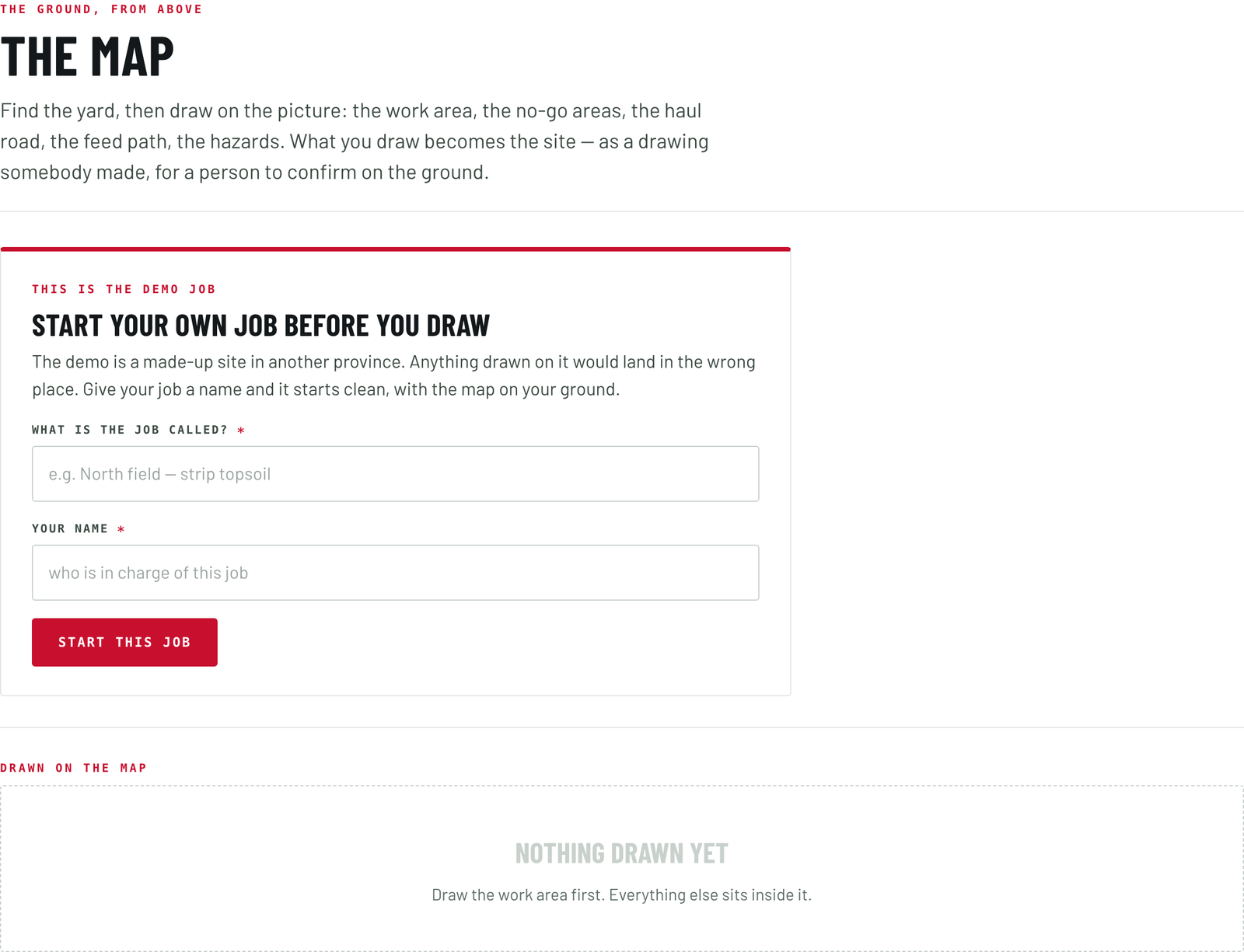
The ground, from above.
Find the yard, then draw on the picture: the work area, the no-go areas, the haul road, the feed path and the hazards. A hazard carries what it is, its kind and a standoff, and the kinds are those a crew names: an overhead line, a drop-off or edge, soft ground, a structure, a watercourse, confined access, or a pedestrian route.
Mark an overhead line and the screen offers a stay-back from a transcribed copy of the Alberta occupational health and safety table of limits of approach, and says on the face of it that it is a transcription for a person to confirm against the code in force. Where the voltage is known, the row is the row. Where it is not, the Foreman puts up a starting figure, marked as one, standing only until the utility answers, and the utility's own number governs over the table. The application measures no voltage and sees no line.
What you draw becomes the site: a drawing somebody made, for a person to confirm on the ground.
Nine sectors, nine layouts.
A layout is a drawing aid. It is not a design, not a survey and not a safety control, and every screen that draws one says so.
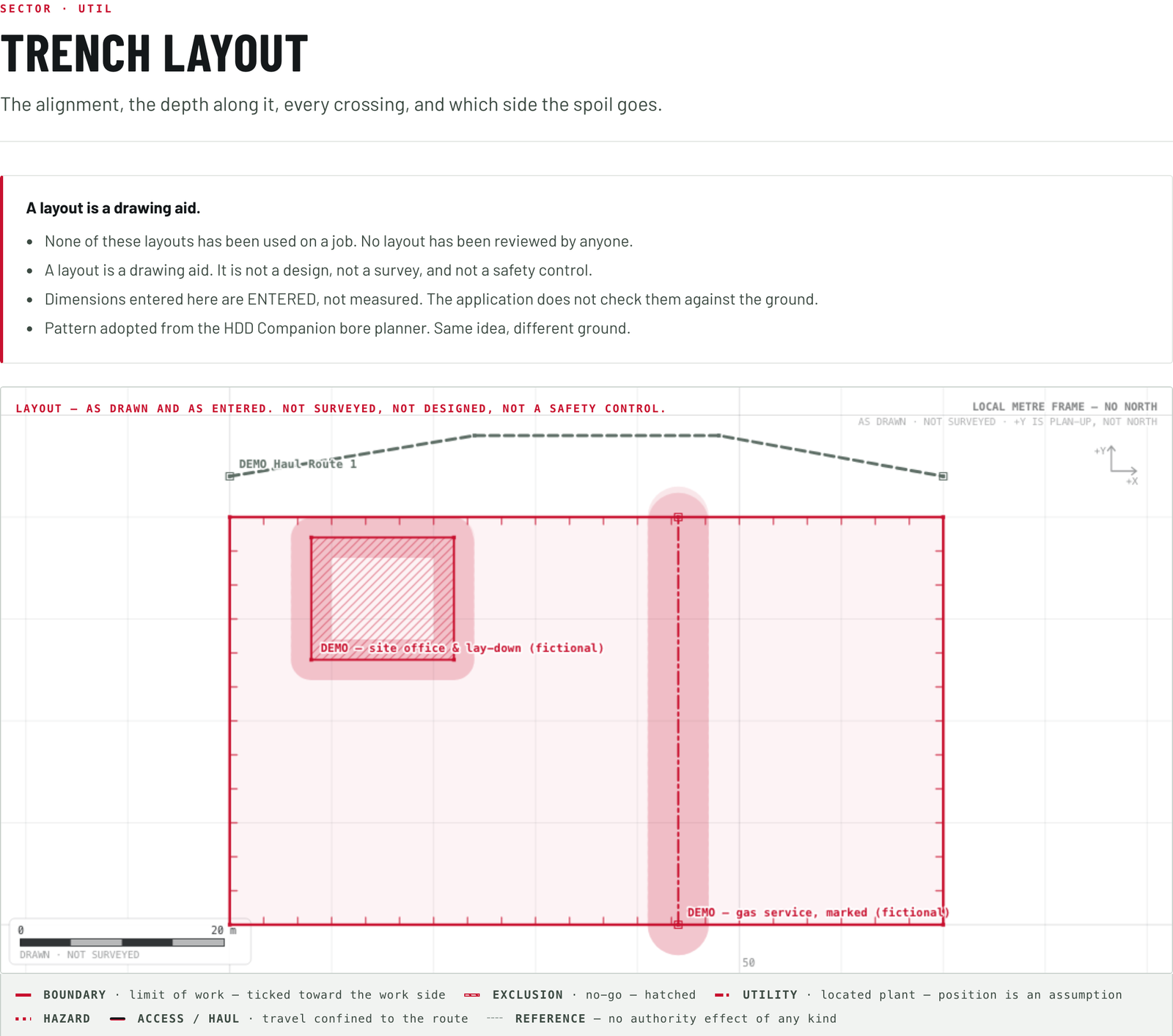
Six elements under every layout, then the sector's own.
One work-area boundary, and outside it is not permitted. Exclusion zones, each with a reason and a buffer. Hazards, each with a standoff. The haul route. Access gates. And the muster point, marked reference only, with no authority effect of any kind. On top of those the sector puts its own, and each is candid about what it will not give you.
- Earthworks. The pad, what comes off it, where it goes. A cut or fill is a prism, and the screen says so, because no ground surface is held.
- Trenching. The alignment, the depth along it, which side the spoil goes, and every crossing with its utility, station, depth, locate uncertainty and hand-expose zone. Gas, electrical, steam, fuel and rail are flagged whatever the arithmetic says, beside the rule: a clear gap on screen is not a clear gap in the ground.
- Roads. The alignment, the cross-section, and the live lane beside it, which takes authority away and carries its own buffer to the work.
- Aggregate. The face, the piles, the plant, the road between them. Where a cycle time would go, the screen says the figure is not computed, because it needs machine data this application does not hold.
- Agriculture. The field, the headlands, the line of travel, and everything on no map: tile risers, well heads, rocks, wet holes, old foundations, and the setbacks from wells and watercourses.
- Forestry. What comes down, what stays, what is overhead. A mulching head throws material further than any sensor on the machine can see, so the screen asks for an exclusion, not a radius.
- Snow. The lot as it looked in summer, because summer is the only time anybody could see what is under the snow. Every curb, island, hydrant and light base carries a standoff and a capture date.
- Waste. The face, the lift and the cover, with a statement that the ground under a waste face is an assumption a person makes, never a model.
- Yards. Rows, aisles, bays, what is overhead, where people walk. A load chart is not held here: it depends on boom, angle and ground.
Every figure a layout works out is marked as a planning figure, or as entered by a person. None is marked as coming from a standard.
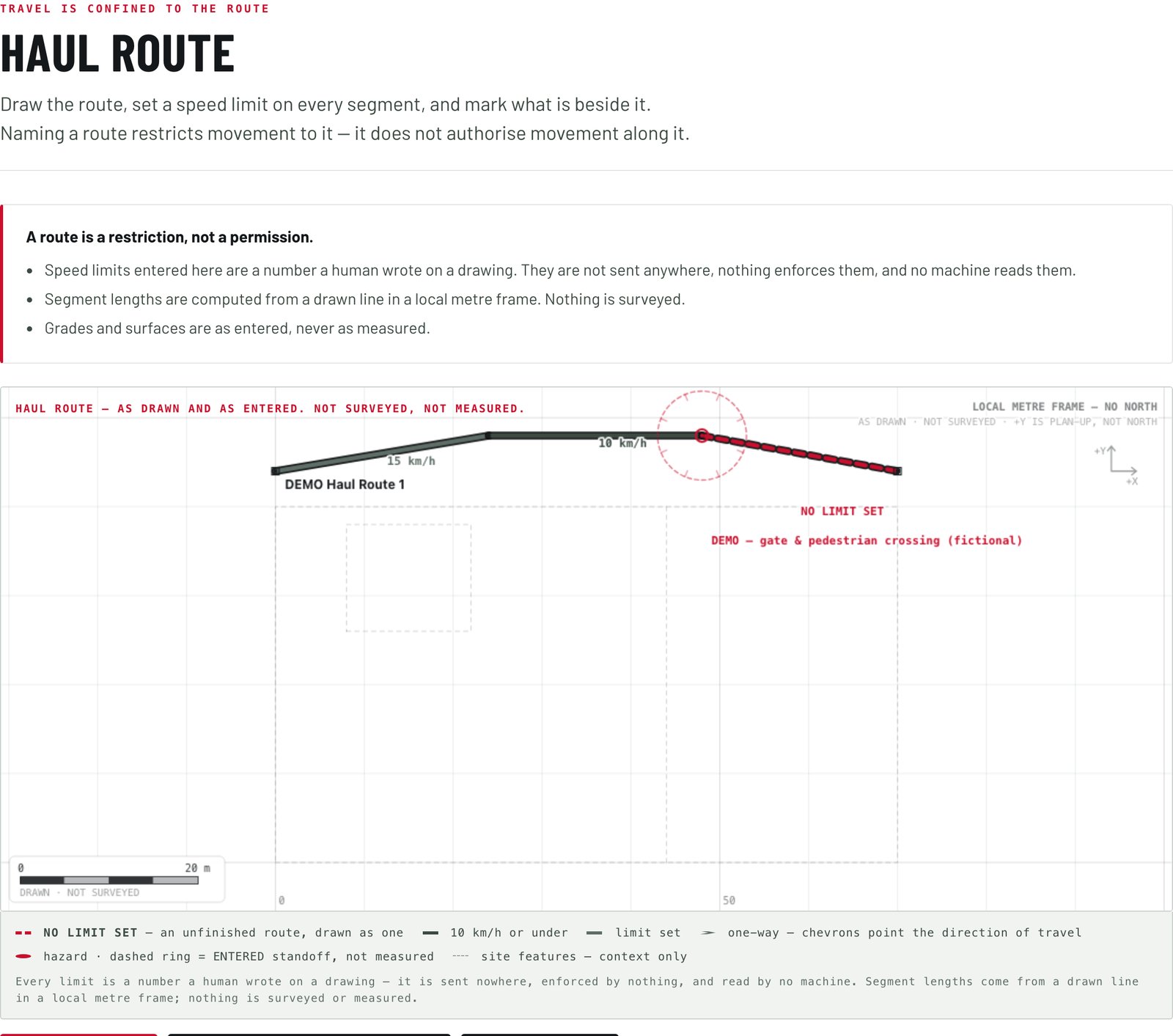
Travel is confined to the route.
Draw it, name it, give it a running width, set a speed limit on every segment, state the surface and the maximum grade, say whether it runs both ways, one way, or alternating, and mark what is beside it.
Naming a route restricts movement to it. It does not authorize movement along it. And a speed limit written here is a number a person wrote on a drawing: nothing transmits it, and no machine reads it.
Before the ground is broken.
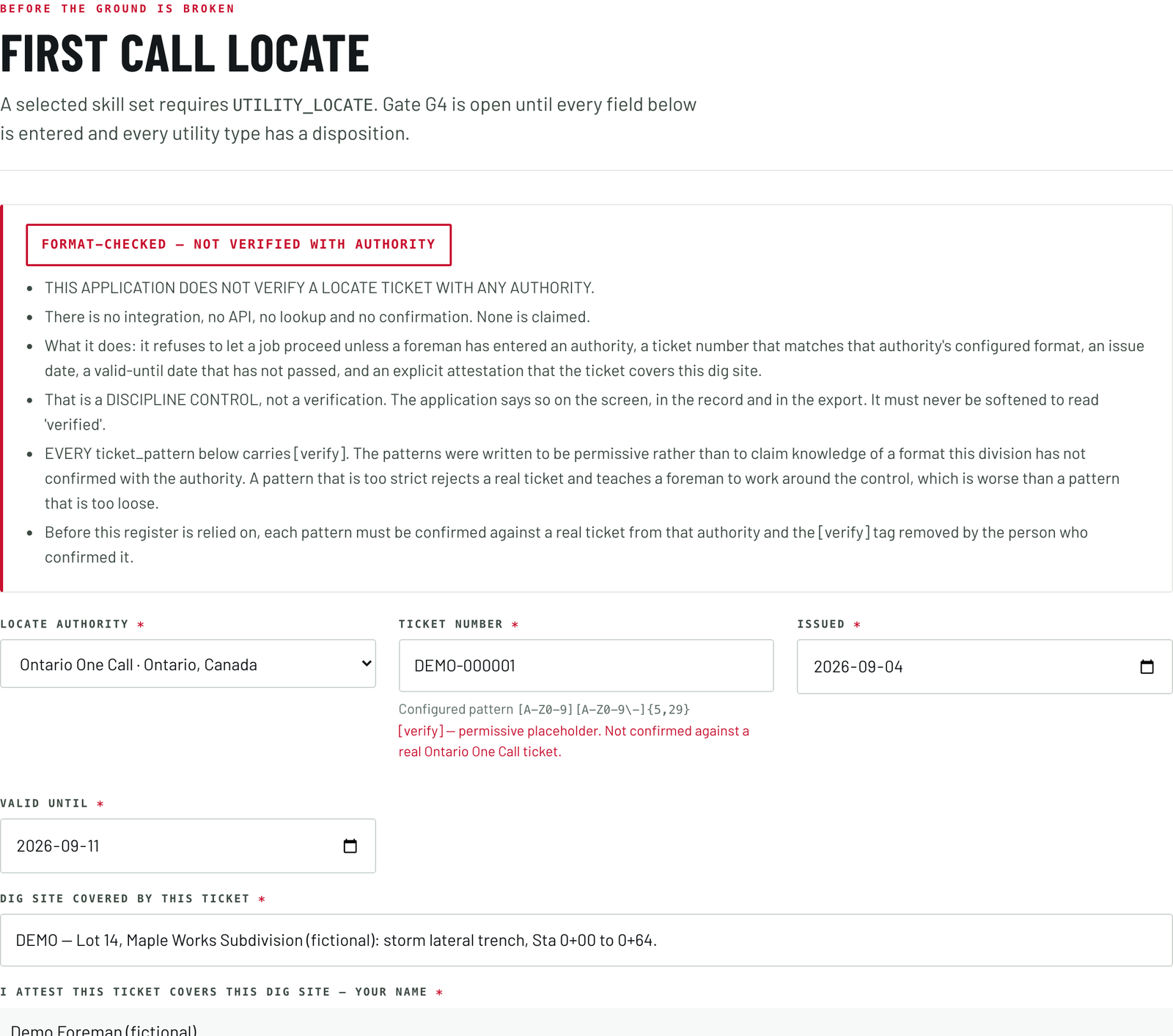
The ticket, and an answer for every utility.
The screen asks for the locate authority, and it holds the ones a job in Canada or the United States actually calls: the provincial notification services, the state services reached through the American three-digit number, and an entry for anything else, which stamps the record as an authority this application does not hold and asks you to name the real one. Then the ticket number, checked against that authority's format, the issue date, a valid-until date still in force, and a named person attesting that the ticket covers this dig site.
Then the part that takes the time: a disposition for every one of twelve utility types. Gas and petroleum; electrical; telecommunications and fibre; water; sanitary sewer and forcemain; storm and drainage; steam and district heating; fuel and chemical pipeline; traffic signals and street lighting; rail signals and crossings; private and unregistered services; and anything else. Three answers let the job move: marked clear of the work area, marked inside it with hand-exposing to follow, or the owner confirming no plant there. Four hold the gate open: awaiting a response, a locate expired, an owner unable to locate, and plant suspected and not located.
One ticket number can carry several separate utility responses where the call centre takes the notice and each utility owner delivers its own locate, and the job is not clear until every one is in. And a private service is not covered by a one-call ticket at all. It has to be located separately by the property owner, and it is the most common cause of a strike on a site everybody believed was clear.
The screen is candid about itself. It does not verify a ticket with any authority: there is no lookup and no confirmation, and none is claimed. It refuses to let a job proceed until a named person has entered all of the above, and every record it writes is stamped format-checked, not verified with the authority, in the same words on a ticket that passes. The formats are permissive on purpose: a pattern too strict rejects a real ticket and teaches a foreman to work around the control, which is worse than one too loose.
The pre-start, in the order it is asked.
Forty items in five groups. The install and the host machine are answered per unit; the work area, the people, and stop and recovery once for the whole job. The safety reading of the same walk is on the STE Safety page.
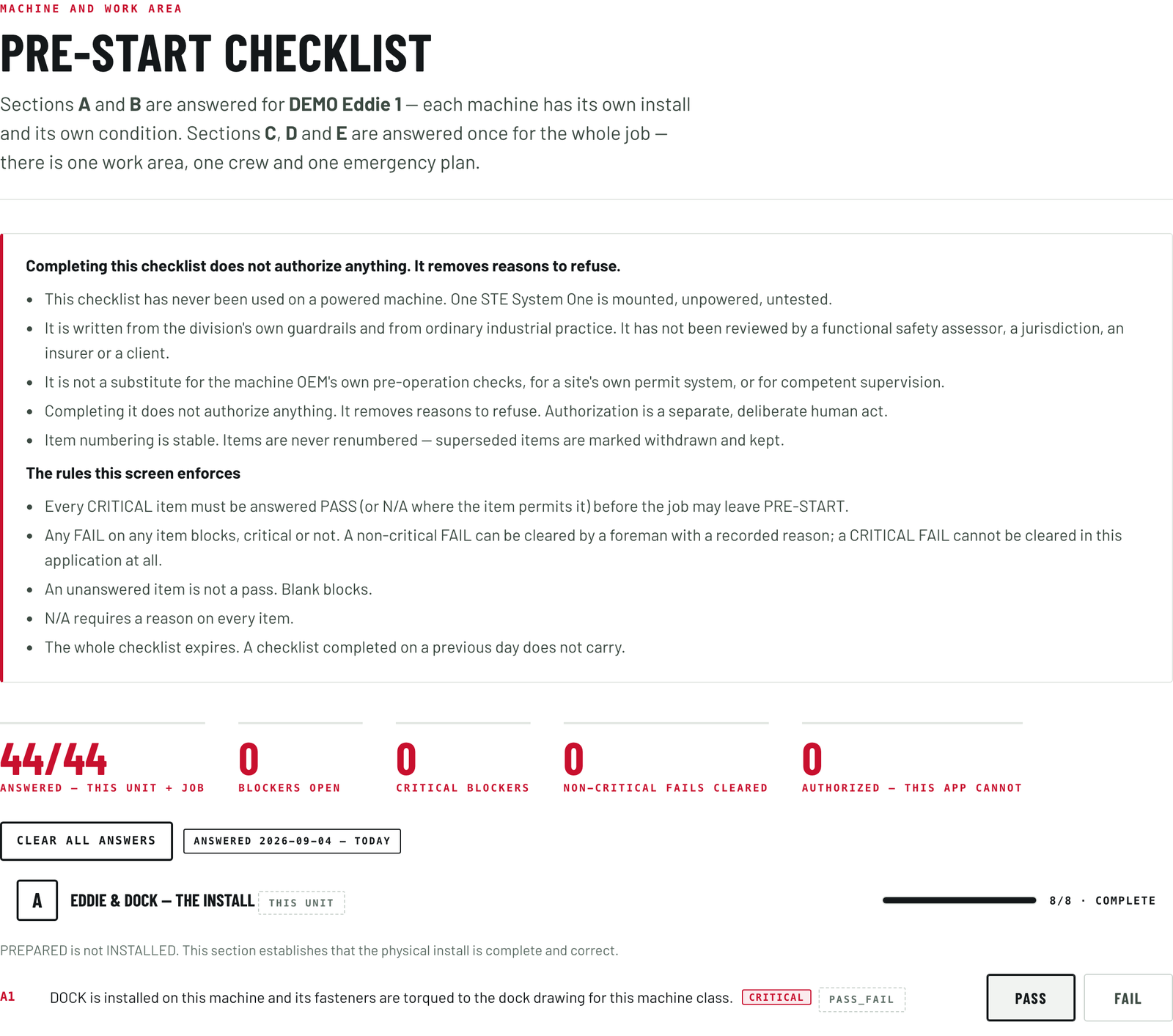
An unanswered item is not a pass.
A blank blocks, and any fail blocks. Thirty-five of the forty are critical, and a critical fail cannot be cleared anywhere in this application: no force flag, no administrative path, no argument. A non-critical fail can be cleared by a foreman, with the reason recorded. The whole checklist expires at the end of the day it was completed, and item numbers are stable.
The install, on each unit
- The dock is installed and its fasteners torqued to the drawing for this machine class.
- Eddie is mounted and latched, every latch engaged, with a second means of retention in place.
- The red manual release on every actuator is present, unobstructed and reachable from the seat.
- Every actuator is on the control it is meant to be on, and nothing on the unit fouls another control.
- Wired local control is connected and the local stop within reach, with no part of the safety loop over the air.
- Eddie can be removed and the machine returned to human-only operation, the path out clear.
- No cable, harness or hose crosses the way out of the cab or a walking surface.
- The profile, rule set and software identity on the console are confirmed as the ones intended for this machine.
The host machine, on each unit
- The machine is identified by make, model and serial or PIN, and matches the profile loaded.
- The manufacturer's own daily walk-around has been completed today by a named person.
- Fluid levels, visible leaks, tires or tracks and guards are all acceptable.
- The machine's own safety systems work: seatbelt, hydraulic lockout lever, park brake, horn, lights and reversing alarm.
- The attachment is the correct one, pinned and secured, its locking confirmed by eye.
- With Eddie engaged, every one of the machine's controls moves through full travel and returns to neutral unaided.
- The machine stops when a person stops it, from the seat, with Eddie mounted. Demonstrated today.
- No electronic tie-in of any kind: no CAN or ECU connection, no manufacturer connector used, no firmware read.
- The machine's hour meter reading is written down.
The work area, once for the job
- The work area boundary is identifiable on the ground, not only on a screen.
- A valid locate ticket is on site and covers this dig area, unless no ground is disturbed at all.
- Every marked service has been walked and confirmed on the ground against the ticket.
- Hand-expose zones are marked on the ground and everyone on site knows what they mean.
- The owner has been asked about private and unregistered services, which a one-call ticket does not cover.
- Overhead obstructions checked, and the limit of approach for this machine written down.
- Ground conditions assessed: bearing capacity, slope, edge of excavation, standing water, frost or thaw.
- Exclusion zones are set up on the ground and told to everyone on site.
- Traffic and pedestrian controls are in place for this work area.
- Weather and light suit the planned work, and the forecast for the shift has been checked.
- Where the spoil goes is agreed, and it sits outside every exclusion zone.
- Site photographs of the work area have been taken today.
The people, once for the job
- The foreman is named, present on site, and competent on this machine class and this task.
- Everyone on site has been briefed: what Eddie is, what it is about to do, and how to stop it.
- Nobody is inside the work area who does not need to be, and everyone remaining knows they are inside it.
- A way for the foreman to reach everyone in the work area is agreed and tested.
- Emergency response is written down: civic address, muster point, first aid, and the number to call.
- The site owner has been told that remote or autonomous work is taking place here today.
Stop and recovery, once for the job
- Every person in the work area can reach a stop.
- The minimum-risk condition for this machine and this task is stated: what the machine does when it stops.
- If Eddie stops mid-task, the recovery plan is stated: who goes, what they do first, and who they tell.
- Human-only mode has been demonstrated today: Eddie released, the machine run by hand, and returned to a safe state.
- Recovering a machine that stops in an awkward or unsafe position has been considered, and somebody knows how it would be done.
Draw the plan, then say where the job stands.
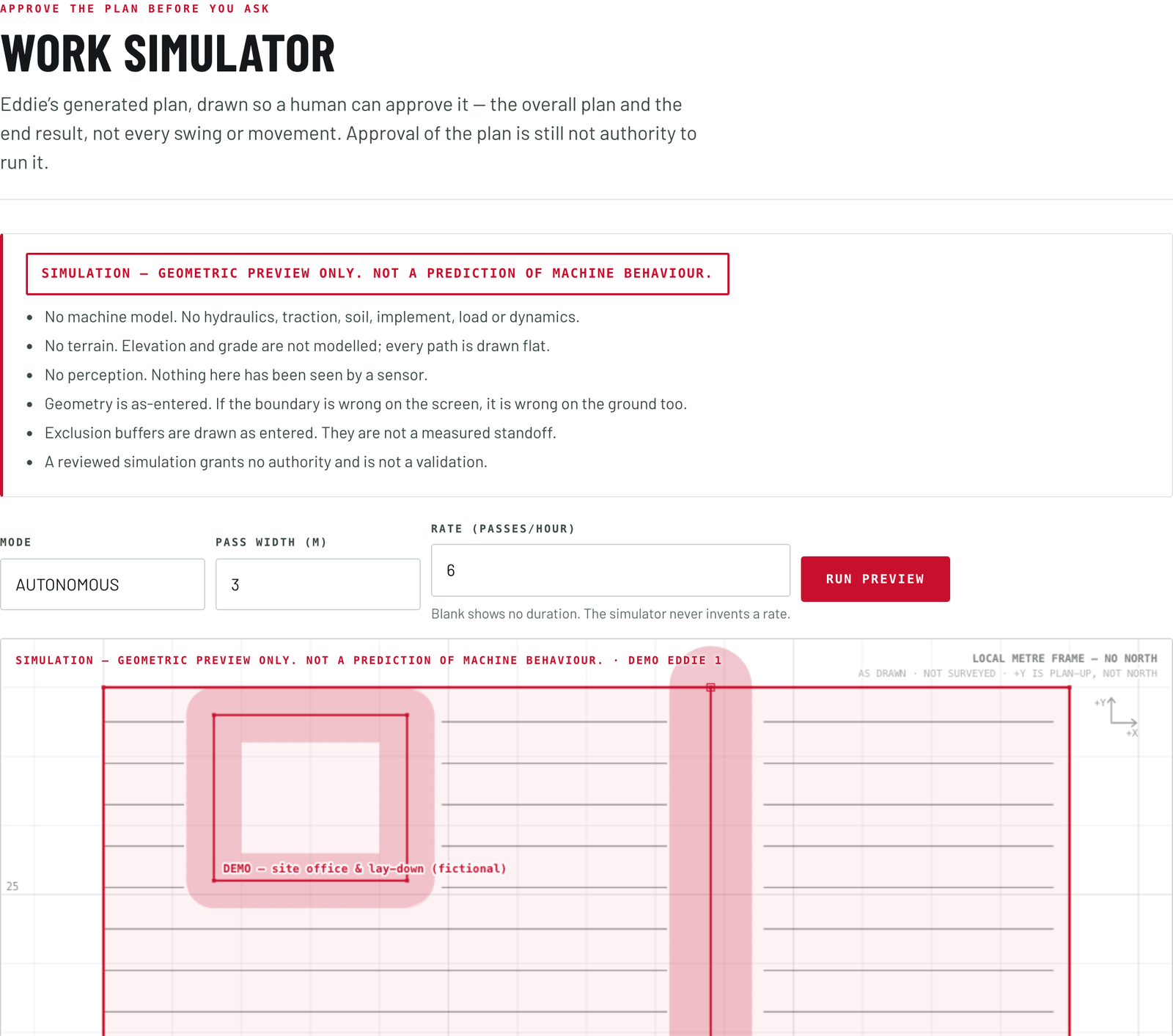
Approve the plan before you ask for it.
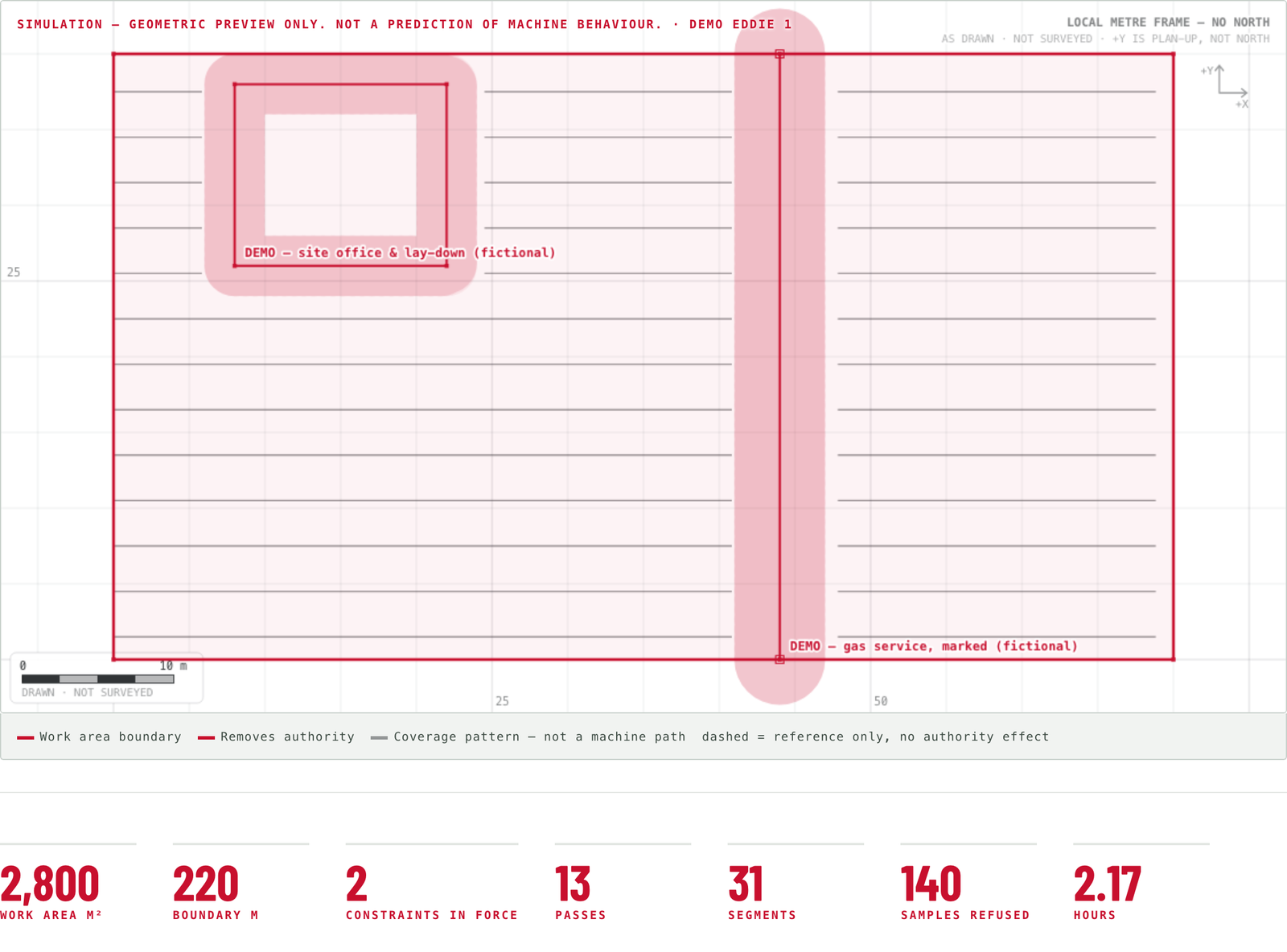
The preview draws Eddie's plan the way a person needs to see it: the ground, the boundary, every constraint, the shape of the work and the end result, rather than every swing.
Where a person will choose the path in the moment, it draws the ground and the constraints and no path at all, because the path is theirs to pick. Where the work is a sweep, it draws a coverage pattern clipped to the boundary and broken at every constraint buffer, and calls it a coverage pattern rather than a machine path.
Acceptance is per unit, by name. Approval of the plan is still not authority to run it.
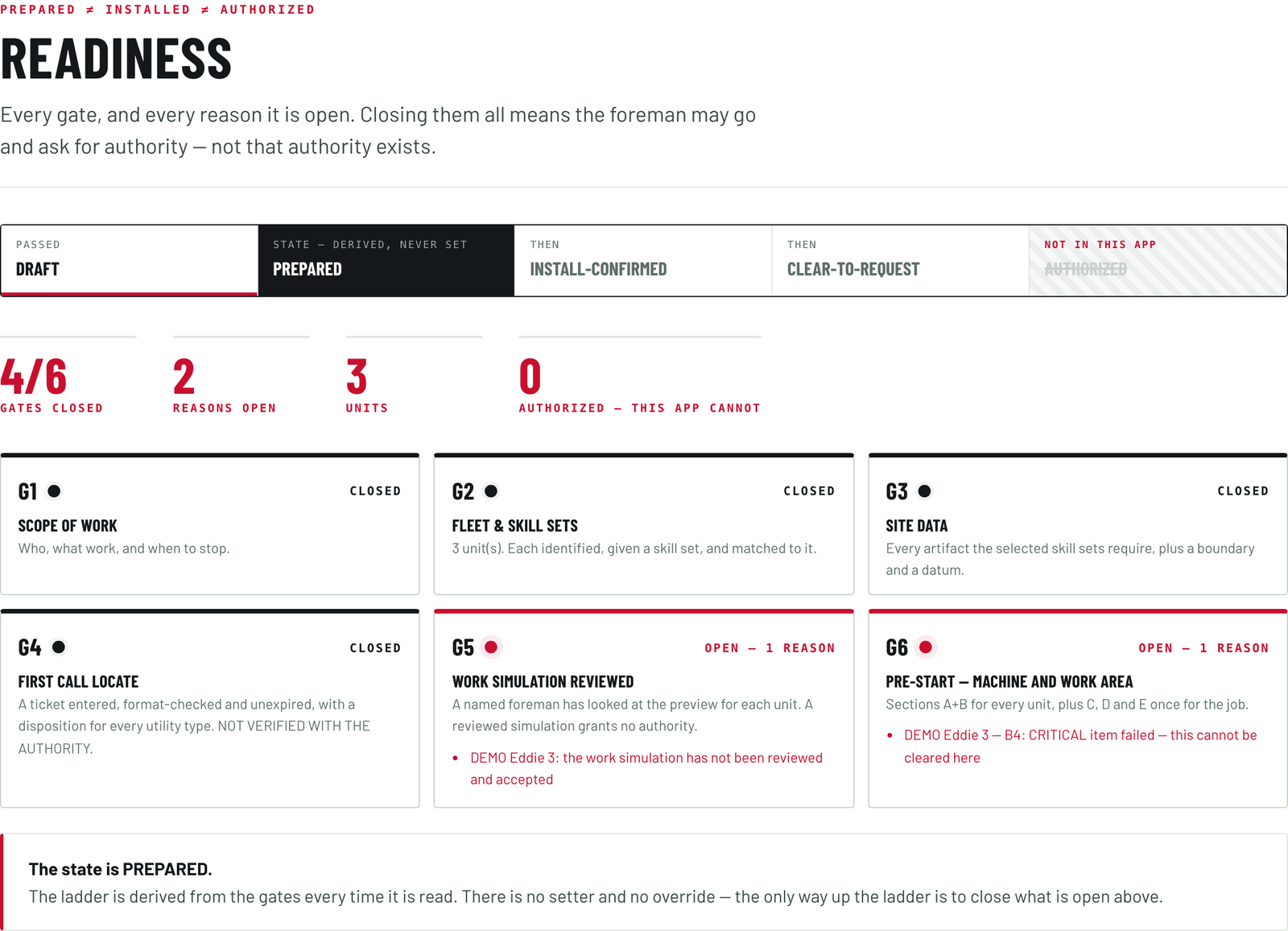
Where the job stands, and why.
Readiness, on one screen: every gate, whether it is closed, and every reason an open one is open. The ladder is drawn as a rail, and the rung above ready to ask is drawn barred and struck through, labelled as a rung this application does not reach.
Closing all six means the foreman may go and ask for authority. It does not mean authority exists.
The account of the shift, and the record underneath it.
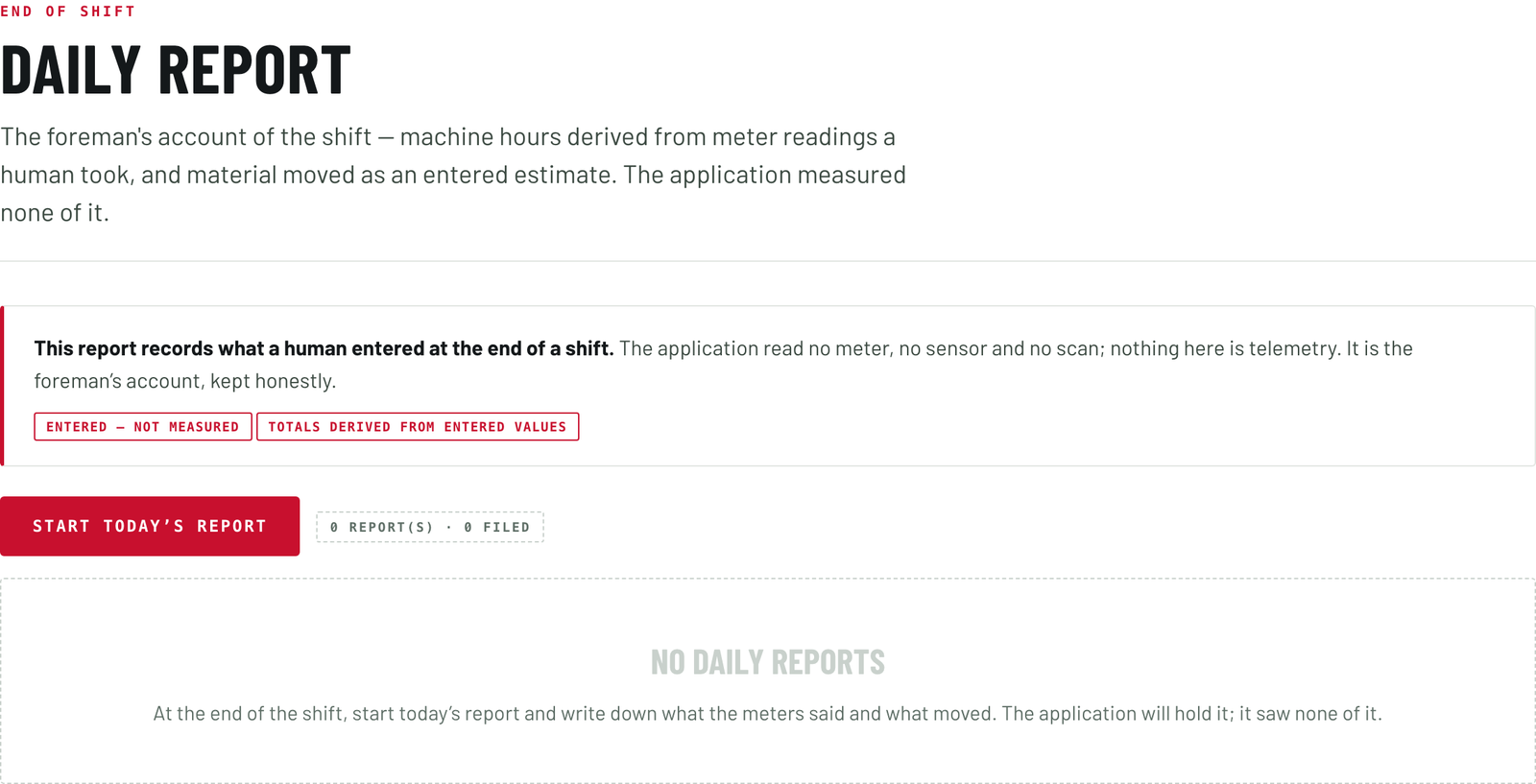
The foreman's own account of the shift.
End of shift. Machine hours come from two meter readings a person took and typed. Material moved is an estimate with the method named, and one of the methods offered says somebody looked at the pile, because on most days somebody did.
The incidents box says on its face that a note here is a note, and not an incident report or a regulatory notification. A filed report freezes: it can be amended only by a named correction stacked on top of it, never edited underneath. Every figure is marked as entered by a person, because the Foreman reads no meter, no sensor and no scan.
And one record of all of it.
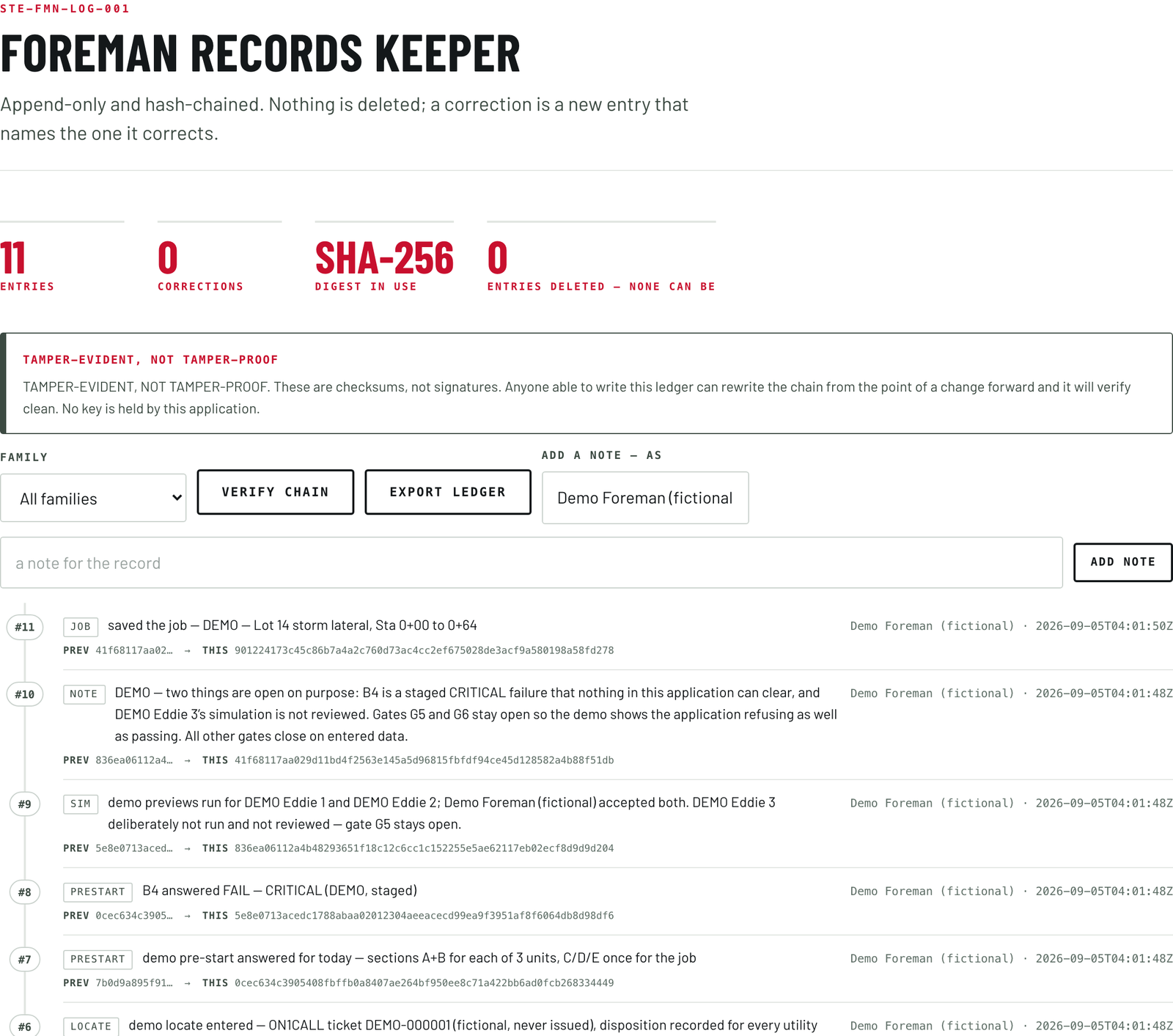
Everything the twelve screens do lands in the records keeper. Entries are added and never overwritten: there is no delete, no update and no way to shorten the chain. Each entry is fingerprinted together with the one before it, so a changed entry shows as a break rather than a tidy edit. An entry with no actor is refused outright, because an entry nobody put a name to is not a record. A correction is a new entry naming the one it corrects, and the Records screen carries a tile reading zero entries deleted, none can be.
Every export carries the same standing note: the chain is tamper-evident rather than tamper-proof. It is fingerprints instead of signatures, and this application holds no key. Whether the day's record should be signed, and with whose key, is a decision for the owner of a fleet, and we would rather put it in front of you than answer it for you.
A unit files its own paperwork. A person accepts it by typing their name.
The way a unit is meant to join a crew is specified and written down: registered the way a person is, with a number, a mailbox and a place on the site roster, so the paperwork a crew already produces reaches it.
What the unit files
Before a unit works it is meant to file a declaration: a field-level hazard assessment, the same instrument the crew fills in for themselves, filed by a party that happens not to be a person. It names the unit and the machine it sits on, the task in plain words, and the hazards the unit brings with it: swing into a walkway, blind quadrants, a machine running with nobody in the seat, reach and tail swing under load, and the loss of what a crew reads off a person in the seat, a look, a wave, a pause before the swing.
Against each hazard it names the measure it will hold, and marks that measure as either enforced in the plan or stated as an intention, because a crew is entitled to know which one it has been handed. Last, it lists the conditions it will refuse to work under. It goes to the crew, the supervisor, every other unit on site and the people named on the job, so a second unit has the first one's declaration before it plans.
What the crew sends back
The signed tailgate the crew already produces is meant to reach that unit's mailbox, where a reader set up for that one machine turns it into the day's limits: the weather bounds, the hazards carried into the day and the ones that block, the exclusion zones and open excavations as no-go ground, the permits in force, who is on site and where, and any stop call. Each limit points back to the sentence it came from, so a person can check the reading against the sheet.
The reader only reads. It never accepts a declaration, never clears a blocking hazard and never marks a permit satisfied. No tailgate, no limits, no work: it does not fall back to yesterday's. A hazard it cannot place as carried or as blocking is blocking, and a zone it cannot place is a hold.
- Prepared.
The unit has filed it. Nothing is permitted.
- Clear to request.
Complete, consistent, with no blocking hazard against it. It removes reasons to refuse. It permits nothing.
- Accepted.
A named person has read it and put their name to it. A person, and only a person, moves it here.
A blank blocks. Acceptance requires a typed name, per unit, per day, per task. It does not carry over, a material change voids it, and there is no override and no administrative path around it.
Humans authorize. The Foreman makes sure of it.
Humans authorize is the rule that runs through everything we build, and the Foreman is that line written into software. It clears away every reason the system has to refuse a job, and then it stops. It cannot say go. Only a person can.
What the Foreman can never do.
Five things, and none of them a setting. Each is a property of how the software is built.
- It cannot grant authority.
The ladder ends at ready to ask, and the state is recomputed from the gates on every read, with no way to set it.
- It cannot move a machine.
There is no axis, no setpoint, no speed, no drive and no command anywhere in it, so there is nothing to disable and nothing to bypass.
- It cannot let the ground grant permission.
The roles a site feature may take are walked as the site loads, and the application refuses to start if one is added that neither removes authority nor states it has none.
- It cannot soften its own wording.
The locate control refuses to load without the statement of what it does and does not do, because there the statement is the control. The checklist refuses to load without its status stamp.
- It cannot hold a session with Eddie.
It carries no key and no line to the control or safety side of any machine. It ends where the authority application begins, because a console that prepares work should never be able to hand itself permission.
What that means where you work.
- The rules your site has already written down are the rules the job is checked against.
- Your foreman opens the job and closes it out. Nobody outside the site does either.
- A machine with Eddie in the seat has a scope, a stop plan and a named person behind it before it is armed.
- It runs on the laptop in the truck with no network. Everything you enter stays on that computer, photographs and files included, and the whole job exports as one file you can read.
- Your locate clearance stays yours to hold, and the application never stands between you and the authority that issued it.
- The record of the shift exists whether or not anyone asks for it.
The assistant, if you want it
A language model can run on the same laptop and help a foreman write: what is missing before the next gate, what a screen asks for, a first version of the scope and the stop-and-call conditions. It is off until a named person turns it on, recorded under their name. It talks to the computer it is on and nothing beyond it, every answer is marked as a suggestion rather than a rule, a record, a verification or authority, and the only path from the model into the job is a button a named foreman presses.
See it working
The demo runs in your browser behind an access password. Load the demo job once you are in: three units, a site, a locate ticket and a pre-start with one failed item, so you can watch a gate refuse as well as pass. Nothing you do in it reaches a machine.
Where this stands.
The Foreman itself is written and running today. Ask us and we will open the demo job with you: five steps walked end to end, a gate refusing and then closing, and the record it wrote as we went.
No assessment against any standard has been performed on it, and we claim no certification and no approval. Its locate formats are permissive on purpose, and each is to be set against a real ticket from that authority before it is relied on, so every record says format-checked rather than verified. Its skill sets describe intended work, and their tolerances stay open until a test sets them. The declaration gate is designed and written down. The work it prepares is Eddie's work. We would rather you read that here than find it out later.
Short answers, for the people who can say no.
Safety officer
The job is written down before the machine is armed, and the pre-start is answered by a named person on the day and expires at the end of it. Thirty-five of its forty items are critical, and a critical failure cannot be cleared inside the application at all. The minimum-risk condition, the stop and the recovery plan are stated for this machine and this task, and human-only mode is demonstrated every day. Set the pre-start above beside your own; its safety reading is on the STE Safety page.
Maintenance lead
No diagnostic path for your machine runs through this. Everything the unit adds to the cab is walked at the pre-start, item by item. One item is that the unit comes off and the machine is handed back to a person; another is that there is no electronic tie-in of any kind. The hour meter number in the report is the one on your machine, read by a person.
Legal and procurement
We make no representation about a locate. The application checks that a ticket has been entered, is in date and has an answer for every utility type, and stamps every record format-checked rather than verified; your clearance stays yours to hold. The record is append-only and chained, and the export states that the chain is tamper-evident rather than tamper-proof. That record is one part of a due-diligence file, and no part of that file transfers liability: the owner stays the duty-holder.
If you run the job
You open the job and close it out. You write the scope and the conditions under which the machine stops and calls you. You state the ground, and everything you state can only narrow the work. You enter the ticket, accept the plan by name, and answer the pre-start on the day. Then the console says the job is ready to ask for, and you go and ask.